Ecommerce Tips
#WhatsApp Business#customer service#order management#conversational commerce#bangladesh
WhatsApp Business for Bangladesh Ecommerce: Complete Setup Guide
WhatsApp is how Bangladesh shops. Learn how to set up WhatsApp Business for your ecommerce store, automate order confirmations, and turn conversations into sales.
FU
FollowUp Team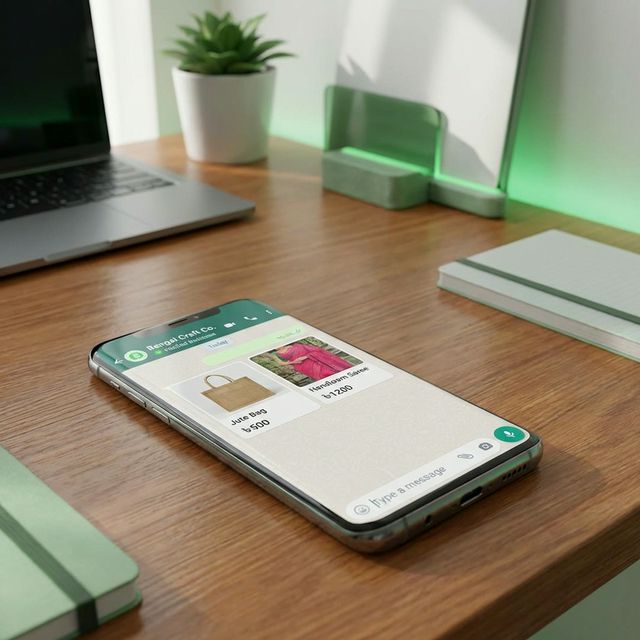
# WhatsApp Business for Bangladesh Ecommerce: Complete Setup Guide

Your customer sees your product on Facebook. They don't click "Buy Now" on your website.

Instead, they message you: "Apa, price koto? Dhaka te delivery hobe?"

This is how **80% of Bangladesh ecommerce actually works.**

Not through fancy checkout pages. Through WhatsApp conversations.

If you're not using WhatsApp Business properly, you're making sales 10x harder than they need to be. Let me show you how to set it up right.

---

## Why WhatsApp Dominates Bangladesh Ecommerce

Here's what actually happens when someone wants to buy:

**Your assumption:**
Customer clicks ad → Goes to website → Adds to cart → Checks out → Orders

**Bangladesh reality:**
Customer sees ad → Screenshots product → WhatsApps you → Asks 10 questions → Maybe orders (if you respond fast)

### Why customers prefer WhatsApp:

**1. It feels safer**
Talking to a real person > Entering credit card details on an unknown website

**2. They can ask questions**
"Is this genuine?" "What's the fabric?" "Can I return it?" — Can't ask these questions on a checkout page.

**3. No commitment pressure**
Adding to cart feels like commitment. Sending a WhatsApp message? Just asking.

**4. Familiar interface**
Everyone in Bangladesh knows how to use WhatsApp. Not everyone trusts ecommerce websites.

**5. Easy to negotiate**
"Bhaiya, 100 taka kom kore den?" — Can't negotiate with a checkout button.

---

## The 3 Levels of WhatsApp for Ecommerce

### Level 1: Regular WhatsApp (Free, Manual)

**What it is:** Your personal WhatsApp number.
**How it works:** Customers message you. You reply manually.

**Pros:**
- Free
- Easy to start
- Personal touch

**Cons:**
- Looks unprofessional (your personal profile pic?)
- No business hours or away messages
- Can't handle more than 20-30 chats/day
- No team collaboration
- Messages get buried

**Good for:** Just starting out, <10 orders/day

---

### Level 2: WhatsApp Business App (Free, Semi-automated)

**What it is:** Official WhatsApp Business app for small businesses.
**How it works:** Professional business profile + some automation.

**Features you get:**
- Business profile (store name, hours, location, catalog)
- Quick replies (save common responses)
- Away messages (auto-reply when offline)
- Labels (organize chats: "New," "Pending," "Paid")
- Business hours
- Product catalog

**Pros:**
- Free
- Professional appearance
- Basic automation (quick replies, away messages)
- Can add product catalog

**Cons:**
- Still manual (you have to reply to each message)
- Limited to 1 device
- No team access (only 1 person can use it)
- Can't integrate with your website/store

**Good for:** 10-100 orders/day, solo founder

---

### Level 3: WhatsApp Business API (Paid, Fully automated)

**What it is:** Enterprise solution for automation and integration.
**How it works:** Connects WhatsApp to your ecommerce system.

**Features you get:**
- Automated order confirmations
- Abandoned cart recovery messages
- Delivery status updates
- Multiple team members can chat
- Integration with your website (chat widget)
- Broadcast messages to customers
- Analytics and reporting

**Pros:**
- Fully automated workflows
- Unlimited messages
- Team collaboration
- Professional green checkmark (verified business)
- Integrates with CRM/ecommerce platforms

**Cons:**
- Expensive (₹2,000-10,000/month depending on messages)
- Complex setup (needs developer or third-party service)
- Requires Facebook Business verification

**Good for:** 100+ orders/day, serious business

---

## How to Set Up WhatsApp Business App (Step-by-Step)

For most Bangladesh ecommerce stores, **Level 2 (WhatsApp Business App) is the sweet spot.**

### Step 1: Download WhatsApp Business

- Don't use your personal WhatsApp number
- Get a separate number (easy: buy a ৳50 SIM card)
- Download "WhatsApp Business" (green icon, not regular WhatsApp)
- Verify your business phone number

---

### Step 2: Set Up Business Profile

Go to Settings → Business Settings → Profile

**Fill in:**
- **Business name:** Your store name (not your personal name)
- **Category:** "Shopping & Retail" or "Ecommerce"
- **Description:** What you sell + USP (e.g., "Genuine leather bags | Free Dhaka delivery | 7-day return")
- **Address:** Your location (builds trust)
- **Hours:** When customers can expect replies
- **Website:** Link to your store
- **Email:** Business email

**Add a professional profile picture:**
Your logo, not your face. Keep it clean and recognizable.

---

### Step 3: Set Up Product Catalog

This is HUGE. People can browse your products without leaving WhatsApp.

**To add catalog:**
Settings → Business Tools → Catalog → Add Product

**For each product:**
- Upload clear product photo
- Product name
- Price
- Description
- Link to product page (optional)

**Pro tip:** Add your bestsellers first. Customers can share products directly from your catalog.

---

### Step 4: Create Quick Replies

These save HOURS. Instead of typing the same thing 50 times, create shortcuts.

**To set up:**
Settings → Business Tools → Quick Replies

**Essential quick replies:**

**1. Pricing**
Shortcut: ```/price```
Message: "Product prices are as shown. We offer free delivery in Dhaka for orders above ৳1,000. Outside Dhaka: ৳120 delivery charge."

**2. Delivery Time**
Shortcut: ```/delivery```
Message: "Dhaka delivery: 1-2 days. Outside Dhaka: 3-5 days. We'll call before delivery to confirm you're available."

**3. Return Policy**
Shortcut: ```/return```
Message: "Don't like it? Return within 3 days, no questions asked. We'll refund or exchange—your choice."

**4. Payment Methods**
Shortcut: ```/payment```
Message: "We accept: Cash on Delivery (COD), bKash, Nagad, Rocket. Pay after you receive and check the product."

**5. Order Confirmation**
Shortcut: ```/confirm```
Message: "Great! Please share:
1. Your full name
2. Complete delivery address
3. Phone number

We'll confirm and deliver within 1-2 days!"

**How to use:** Type ```/price``` and it auto-fills the saved message. Boom, replied in 2 seconds.

---

### Step 5: Set Away Message

When you're offline, customers still message. Set an auto-reply:

**To set up:**
Settings → Business Tools → Away Message

**Example away message:**
"Thanks for messaging [Store Name]! We're currently offline but will reply within 2 hours. For urgent queries, call us at 01XXX-XXXXXX."

**When to use:**
Outside business hours (e.g., 10 PM - 9 AM)

---

### Step 6: Use Labels to Organize Chats

You'll get 50 messages/day. How do you remember who's at which stage?

**To create labels:**
Long-press a chat → Add Label

**Recommended labels:**
- **New Customer** (just inquired, no order yet)
- **Pending** (order confirmed, waiting for delivery)
- **Paid** (payment received)
- **Delivered** (order complete)
- **Return/Issue** (problem to solve)
- **Follow-up** (need to message them again)

Color-code them. Swipe through your chats and know exactly what's happening.

---

## How to Actually Convert WhatsApp Chats into Orders

Getting messages is easy. Converting them? That's the skill.

### Rule 1: Respond in 5 Minutes or Less

**Data:** If you respond within 5 minutes, conversion rate: 60-70%.
If you respond after 2 hours, conversion rate: 10-15%.

Why? Interest fades FAST. The person who messages you is messaging 5 other sellers too. Whoever replies first wins.

**Solution:** Turn on WhatsApp notifications. If you can't reply immediately, use quick replies.

---

### Rule 2: Be Conversational, Not Salesy

**Bad:**
Customer: "Price koto?"
You: "৳500. Order korte hole amader website e jayen."

**Good:**
Customer: "Price koto?"
You: "৳500! Premium quality, 1 year warranty. Dhaka-te free delivery. Interested? Ami details pathiye dichi 😊"

See the difference? Friendly, helpful, not pushy.

---

### Rule 3: Send Visual Proof

Words don't sell. Photos do.

Customer asks: "Original na duplicate?"
Don't just say "Original."

Send:
- Photo of product with brand tag
- Photo of packaging
- Screenshot of customer review
- Video of product in use

**Trust = Sales.**

---

### Rule 4: Make Ordering EASY

**Bad:**
"Go to our website, register, add to cart, fill 15 fields, then checkout."

**Good:**
"Just share your name, address, and phone number here. I'll confirm and send it today!"

Friction = Lost sales. Remove every extra step.

---

### Rule 5: Confirm Immediately

Customer shares their address. Don't leave them hanging.

**Immediately reply:**
"Perfect! ✅ Your order is confirmed:
📦 Product: [Name]
💰 Price: ৳[Amount]
📍 Delivery: [Address]
🚚 Arrives: Tomorrow by 5 PM

We'll call 30 minutes before delivery. excited?"

Confirmation builds trust. Silence creates doubt.

---

## Advanced: Integrating WhatsApp with Your Store

If you're doing 50+ orders/day, manual WhatsApp becomes a nightmare.

**What you need:** Automated workflows.

### Use cases for automation:

**1. Abandoned Cart Recovery**
Customer adds to cart on your website but doesn't checkout →
Auto-send WhatsApp: "Hi [Name]! You left [Product] in your cart. Complete order now?"

**2. Order Confirmation**
Customer places order on website →
Auto-send WhatsApp: "Order confirmed! [Details]. Track here: [link]"

**3. Delivery Updates**
Order dispatched →
Auto-send WhatsApp: "Your order is on the way! Arriving tomorrow between 2-5 PM."

**4. Post-Delivery Follow-up**
7 days after delivery →
Auto-send WhatsApp: "How's your [Product]? Mind leaving a quick review?"

**How to do this:** You need WhatsApp Business API. Services like Twilio, MessageBird, or local Bangladesh providers (Solutya, BizMessenger) can set this up.

**Cost:** ৳3,000-10,000/month depending on message volume.

---

## Common Mistakes to Avoid

### Mistake 1: Using Personal WhatsApp for Business
Your customers don't need to see your "Good morning" status or family photos.

**Fix:** Separate business number, WhatsApp Business App.

---

### Mistake 2: Slow Replies
Replying after 4 hours when customer already bought from someone else.

**Fix:** Set realistic expectations. "We reply within 1 hour" in your profile.

---

### Mistake 3: No Catalog
Customers ask "What do you have?" and you type 50 product names.

**Fix:** Use WhatsApp Catalog. Share it in one click.

---

### Mistake 4: Not Saving Customer Info
You forget who ordered what. Chaos.

**Fix:** Use labels. Or upgrade to a simple CRM (even Google Sheets works).

---

### Mistake 5: Sending Spam
Broadcasting "30% SALE!" every day annoys customers.

**Fix:** Send value. Tips, new arrivals, exclusive deals—not daily spam.

---

## The Bottom Line: WhatsApp IS Your Ecommerce Store for Bangladesh

Forget trying to force customers to your website. Meet them where they already are: WhatsApp.

**Your website:** Product showcase, credibility
**WhatsApp:** Where actual selling happens

Make WhatsApp your priority channel, and watch your conversion rate double.

---

**Want automated WhatsApp + SMS follow-up for incomplete orders?**
Try [FollowUp](https://followup.lt) — Multi-channel order recovery for Bangladesh ecommerce.
Next step
Turn the playbook into an automated recovery flow
FollowUp captures incomplete checkouts and sends SMS or WhatsApp follow-ups while the order is still warm.