Payment Gateway Friction Is Killing Conversions: Bangladesh Ecommerce Guide
60% of customers abandon checkout at payment. Learn why payment gateways fail in Bangladesh and how to optimize bKash, Nagad, and COD for maximum conversions.
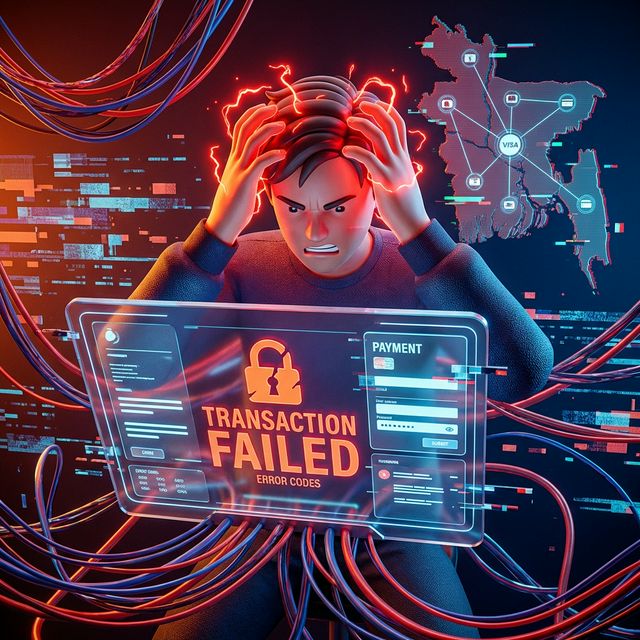
Customer reaches checkout. Sees the total. Clicks "Pay Now."
Gets redirectedto bKash. Waits. Loading... Loading... "Transaction Failed."
Goes back. Tries again. Same error.
Gives up. Order lost.
60% of Bangladesh customers who select online payment never complete it. Not because they don't want to pay. Because the payment process breaks.
If you're losing orders at payment, here's exactly what's wrong and how to fix it.
Why Payment Gateways Fail in Bangladesh
Problem 1: Too Many Redirects
Your checkout flow:
- Customer clicks "Pay with bKash"
- Redirected to payment gateway (SSL Commerz)
- Redirected to bKash app/website
- Enters PIN
- Redirected back to payment gateway
- Redirected back to your website
That's 4 redirects. Each one is a chance to lose the customer.
What goes wrong:
- Redirect times out (slow internet)
- Customer closes tab thinking it's done
- Browser blocks popup
- Session expires during redirect
- Customer gets confused ("Where am I?")
Problem 2: Mobile App Intent Failures
When customer tries to pay via bKash on mobile:
Expected: bKash app opens → They enter PIN → Payment completes
Reality: Browser tries to open app → "Open in bKash?" popup → Customer taps "Open" → Nothing happens → Stuck
Why this fails:
- bKash app not installed
- App installed but outdated version
- Browser doesn't support app intents
- Customer denies app open permission
- App opens but session doesn't transfer
Problem 3: Payment Gateway Timeouts
Customer enters bKash PIN. Waits. Keeps waiting.
5 seconds... 10 seconds... 20 seconds...
"Transaction taking longer than expected..."
Customer refreshes. Now there are TWO pending transactions. One succeeds, one fails. Confusion.
Why timeouts happen:
- Slow mobile internet (3G/2 G)
- Payment gateway server delays
- bKash/Nagad API slowness
- Too many simultaneous transactions
Problem 4: Failed Transactions (But Money Deducted)
Worst scenario:
Customer completes payment → Money deducted from bKash → But sees "Payment Failed" message
Result:
- Money gone
- No order confirmed
- Customer panics
- Calls you angry
- You have to manually verify and refund
This happens because:
- Response from bKash/Nagad delayed
- Gateway marks transaction as "failed" prematurely
- Webhook doesn't trigger
- Order not created in your system despite payment success
Problem 5: Trust Issues with Online Payment
In Bangladesh:
bKash at a physical store: Feels safe
bKash on a random website: Feels risky
Why customers hesitate:
- "Will my money actually reach the store?"
- "What if payment goes through but order doesn't?"
- "Can they steal my bKash PIN?" (irrational but real fear)
- "What if I need a refund?"
Result: 70% choose COD even when online payment is available.
Payment Method Preferences in Bangladesh
| Payment Method | Usage | Success Rate | Customer Perception |
|---|---|---|---|
| COD | 85% | 60-70% | Safest, most trusted |
| bKash | 10% | 40-50% | Convenient but risky |
| Nagad | 3% | 45-55% | Similar to bKash |
| Card | 1% | 30-40% | Very risky, rarely used |
| Bank Transfer | 1% | 80%+ | For large orders only |
COD dominates not because it's better, but because online payments are too painful.
How to Fix bKash Payment Issues
Fix 1: Direct bKash Integration (Skip Gateway Redirects)
Instead of:
Your site → SSL Commerz → bKash → SSL Commerz → Your site
Do this:
Your site → bKash directly → Your site
How: Use bKash Tokenized Checkout or bKash PGW API.
Benefits:
- 50% fewer redirects
- Faster (1-2 seconds vs 5-10 seconds)
- Better success rate
- Lower fees (no SSL Commerz middleman cut)
Fix 2: Optimize Mobile App Flow
Best practice:
- Detect if bKash app is installed
- If installed: Open app directly
- If not installed: Show web checkout
Code example (simplified):
const hasbKashApp = /bKash/i.test(navigator.userAgent);
if (hasbKashApp) {
// Open bKash app with payment intent
window.location.href = 'bkashapp://payment?amount=500&ref=ORDER123';
} else {
// Show web checkout
redirectTobKashWeb();
}
Fallback: Always provide web option in case app fails.
Fix 3: Handle Timeouts Gracefully
Don't just show "Loading..." indefinitely.
Better UX:
Processing payment...
⏱ Usually takes 5-10 seconds
[Still waiting after 15 seconds?]
→ "Verify Payment Status" button
On verify:
- Check payment status via API
- Show current status ("Pending", "Processing", "Success", "Failed")
- Give options: "Try Again" or "Cancel"
Fix 4: Verify Payments Server-Side
Never trust client-side payment confirmation.
Proper flow:
- Customer completes bKash payment
- bKash sends webhook to your server
- Your server verifies transaction via bKash API
- If verified, create order
- Send confirmation to customer
Code pattern:
// Don't do this
if (paymentResponse.status === 'success') {
createOrder(); // Client can fake this!
}
// Do this
webhook.on('bkash-payment', async (data) => {
const verified = await bKash.verifyTransaction(data.transactionId);
if (verified && verified.amount === expectedAmount) {
await createOrder();
await sendConfirmation();
}
});
---

## How to Fix Nagad Payment Issues

Same principles as bKash:

### 1. Reduce Redirects
Use Nagad Direct API instead of going through SSL Commerz.

### 2. Handle "Insufficient Balance" Better
When Nagad payment fails due to insufficient balance:

**Bad:** Generic "Payment Failed"
**Good:** "Payment failed: Insufficient balance in Nagad. Try bKash or COD?"

Suggest alternatives immediately.

### 3. Session Management
Nagad sessions expire fast (2 minutes).

**Solution:** Extend session or restart payment flow automatically if customer takes too long.

---

## Optimize COD (Still King in Bangladesh)

Since 85% prefer COD anyway, make it REALLY easy:

### 1. Make COD the Default Option
Payment Method:
● Cash on Delivery (Recommended)
○ bKash / Nagad
○ Credit/Debit Card
Pre-select COD. Let customers opt-in to online payment, not the other way.

---

### 2: Show Partial Payment Option
"Pay ৳200 now (online), ৳300 on delivery"

**Why this works:**
- Reduces your COD risk
- Customer still has the comfort of paying "after receiving"
- Higher commitment (they paid something)

---

### 3: Incentivize Online Payment (Carefully)
"Pay online: Get ৳50 discount"

But don't make the discount TOO big or customers will suspect something's wrong.

---

## The Multi-Payment Strategy

Don't force one payment method. Offer ALL and let customer choose:

### Primary: COD
- Make it the default
- Clearly state "Pay after you receive and check the product"
- No hidden charges

### Secondary: bKash/Nagad
- "Skip COD hassle - pay now in 10 seconds"
- Show success rate: "99.5% successful payments"
- Instant order confirmation

### Tertiary: Cards (for specific segments)
- Expats
- Corporate buyers
- High-value orders (৳10,000+)

---

## Payment Method Recommendation Based on Order Value

| Order Value | Recommend | Why |
|-------------|-----------|-----|
| < ৳500 | COD only | Not worth online payment friction |
| ৳500-2,000 | COD default, bKash option | Most common range |
| ৳2,000-5,000 | bKash/COD equal | Higher commitment, both work |
| > ৳5,000 | bKash/Bank preferred | Large amounts,lower COD risk |

---

## Common Payment Gateway Mistakes (And Fixes)

### Mistake 1: Only Showing SSLCommerz Logo
Customer sees "SSL Commerz" and thinks "What's that? Sketchy."

**Fix:** Show actual payment method logos (bKash, Nagad, Visa).

---

### Mistake 2: No Payment Instructions
Customer clicks "Pay with bKash" and has no idea what happens next.

**Fix:** Show step-by-step:
How to pay with bKash:
1. Click "Pay with bKash"
2. Enter your bKash mobile number
3. Enter your PIN in the bKash app
4. Payment complete!
---

### Mistake 3: Hiding Fees
Checkout shows: ৳500
Payment page shows: ৳515 (৳15 gateway fee)

Customer feels tricked. Abandons

.

**Fix:** Show fees upfront:
Product: ৳500
Delivery: ৳60
Payment Fee (bKash): ৳15
Total: ৳575
Honesty wins.

---

### Mistake 4: No Failed Payment Recovery
Payment fails. Customer gives up.

**Fix:** Send SMS immediately:
" Your payment didn't go through. Try again: [link] or choose COD: [link]"

50% will retry.

---

### Mistake 5: Ignoring Test Transactions
You test payment once during development. It works. You launch.

**Reality:** Payment gateways fail randomly —network issues, API changes, downtime.

**Fix:** Monitor payment success rates DAILY. Alert if it drops below 90%.

---

## Payment Optimization Checklist

**Gateway Setup:**
- [ ] Direct bKash/Nagad integration (not via SSL Commerz if possible)
- [ ] Webhook verification enabled
- [ ] Server-side transaction verification
- [ ] Timeout handling (15-second max wait)
- [ ] Fallback options if primary fails

**UX:**
- [ ] COD as default payment option
- [ ] Clear payment method logos
- [ ] Step-by-step payment instructions
- [ ] All fees shown upfront
- [ ] Mobile-optimized payment flow

**Recovery:**
- [ ] Failed payment SMS/email follow-up
- [ ] Retry button on failure
- [ ] Alternative payment method suggestions
- [ ] Order save (so they don't lose cart)

**Monitoring:**
- [ ] Daily payment success rate tracking
- [ ] Alert if success rate < 90%
- [ ] Common failure reasons logged
- [ ] Settlement reconciliation (money received vs orders)

---

## The Bottom Line:Simplify or Lose Sales

Every extra step, redirect, or second adds friction.

**Best payment flow for Bangladesh:**
1. Customer clicks "Confirm Order"
2. Chooses COD (or bKash if they prefer)
3. Order confirmed in < 5 seconds
4. Done.

The simpler, the better.

---

**Losing orders at checkout despite optimizing payment?**
Try [FollowUp](https://followup.lt) — Automated recovery for incomplete orders via SMS/WhatsApp.
Next step
Turn the playbook into an automated recovery flow
FollowUp captures incomplete checkouts and sends SMS or WhatsApp follow-ups while the order is still warm.